Venetian Blinds: The Complete Guide to Types, Materials & Choosing the Right Ones
Window treatment How it’s built How you control light Best for Venetian blinds Horizontal slats on ladders Tilt slats +
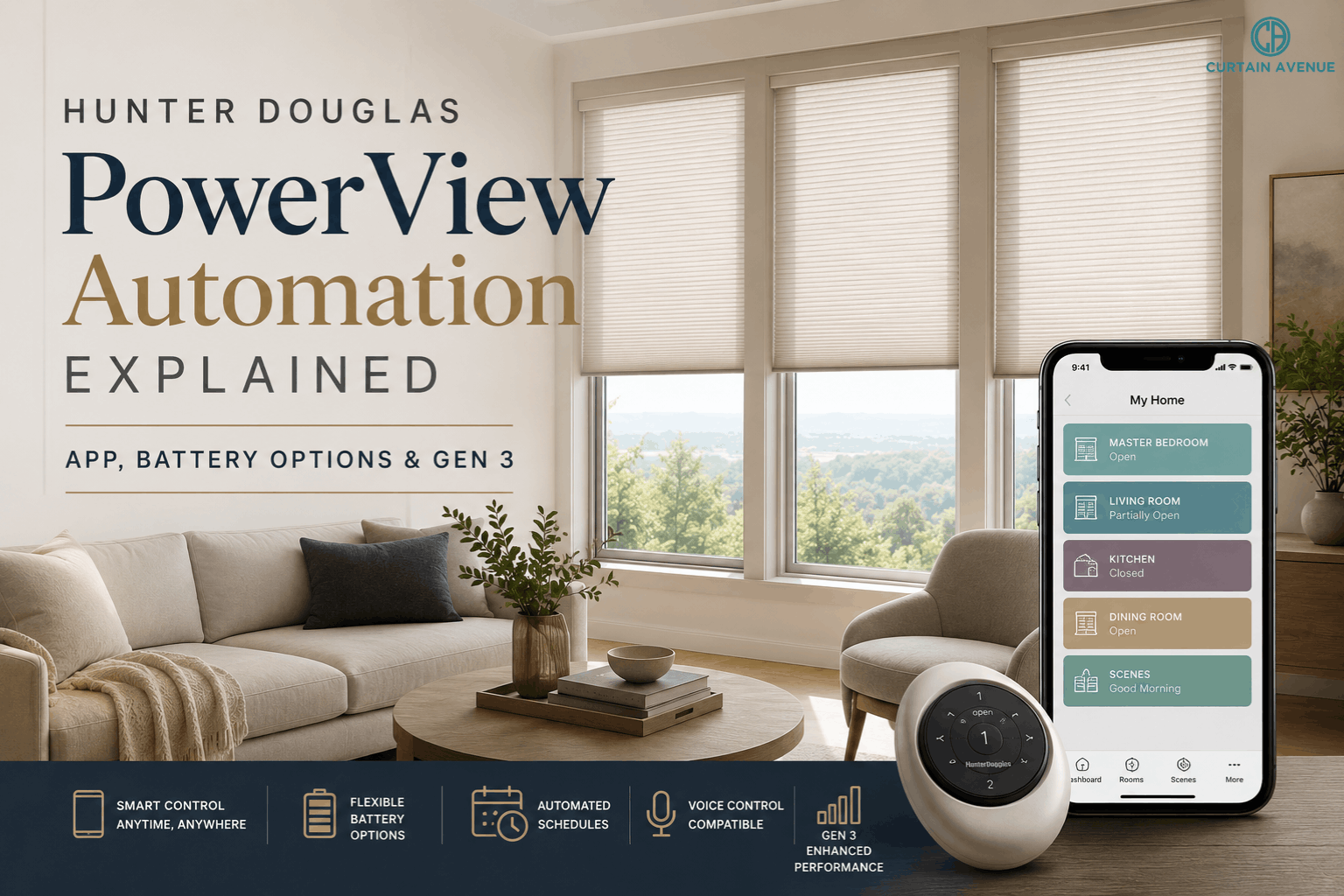
Smart homes are no longer limited to lighting, security systems, or voice assistants. Window treatments have joined the automation revolution, offering homeowners a seamless way to manage natural light, privacy, and energy efficiency. Among the most recognized systems on the market, Hunter Douglas PowerView stands out for its intelligent scheduling, effortless operation, and premium design.
Whether you’re exploring PowerView Automation for the first time or upgrading to the latest generation, understanding how the system works will help you make an informed investment.
This guide explains everything you need to know about Hunter Douglas PowerView, including how the Hunter Douglas PowerView app works, available battery options, what’s new in Gen 3, and whether this smart window treatment system is right for your home.
Hunter Douglas PowerView is a smart automation system that allows compatible blinds and shades to move automatically using schedules, voice commands, a smartphone, or a handheld remote.
Instead of manually adjusting window coverings throughout the day, homeowners can automate them to respond to their daily routines. Shades can open with the morning sun, close during the hottest hours of the afternoon, or lower automatically at sunset for added privacy.
The result is a home that feels more comfortable, energy efficient, and effortlessly modern.
Curtain Avenue — Hunter Douglas Collection →
At the heart of PowerView Automation is a wireless motor built into compatible Hunter Douglas window treatments.
Once installed, you can operate your shades through several methods:
The system allows multiple shades to work together, so you can control an entire room—or your whole home—with a single command.
One of the biggest advantages of Hunter Douglas PowerView is its intuitive mobile app.
The Hunter Douglas PowerView app lets homeowners manage their shades from almost anywhere, providing full control without needing to be near a window.
Using the app, you can:
Its clean interface makes it simple for every member of the household to use, regardless of technical experience.
Rather than adjusting every shade individually, PowerView allows homeowners to create custom “Scenes.”
A scene combines multiple window treatments into a single action.
Examples include:
These scenes simplify daily routines while making the home feel more responsive.
One of the most valuable features of PowerView Automation is scheduling.
Instead of remembering to adjust your shades every day, the system handles it automatically.
Schedules can be based on:
For example:
Morning:
Shades gradually rise to let in natural daylight.
Afternoon:
West-facing shades lower to reduce heat and glare.
Evening:
Window treatments close automatically for privacy.
Automation removes repetitive daily tasks while improving comfort.
Curtain Avenue — Hunter Douglas Collection →
Smart homes become even more convenient when voice assistants are involved.
Hunter Douglas PowerView works with many popular smart home ecosystems, allowing homeowners to operate shades hands-free.
Simple commands such as:
“Open the kitchen shades.”
“Close the bedroom blinds.”
“Lower all downstairs shades.”
make everyday living easier and more intuitive.
PowerView systems are available with several power solutions to suit different homes and installation requirements.
One of the most popular options.
Benefits include:
Rechargeing is simple using a charging cable without removing the shade.
Ideal for homeowners seeking a straightforward installation.
Advantages include:
Battery life depends on shade size, usage frequency, and schedule settings.
Often selected during new construction or large renovations.
Benefits include:
Although installation requires advance planning, hardwired systems offer the most seamless long-term solution.
The latest generation of Hunter Douglas PowerView introduces meaningful improvements focused on performance, reliability, and user experience.
Gen 3 enhances several areas, including:
Commands reach shades more quickly, making automation feel smoother and more natural.
Wireless communication has been optimized to provide more reliable performance throughout larger homes.
PowerView Gen 3 offers broader integration with today’s connected home ecosystems, making automation easier to expand as technology evolves.
Pairing shades and organizing rooms is more intuitive, allowing homeowners to complete installation with fewer steps.
System updates improve reliability while reducing communication interruptions between devices.
Automated window treatments do more than improve convenience.
They also help reduce energy consumption throughout the year.
During summer:
During winter:
Automating these adjustments creates year-round comfort while reducing unnecessary energy use.
Traditional cords can create safety concerns in homes with young children or pets.
PowerView eliminates exposed operating cords, offering a cleaner and safer window treatment solution.
The cordless design also contributes to a more streamlined appearance.
Homeowners often wonder whether automation justifies the investment.
For many, the answer becomes clear after daily use.
PowerView delivers:
Instead of manually adjusting window coverings every morning and evening, automation becomes part of the home’s natural rhythm.
Before investing in Hunter Douglas PowerView, ask yourself:
Answering these questions helps you choose a configuration that fits both your home and future needs.
PowerView systems require very little ongoing maintenance.
To keep everything operating smoothly:
Routine care helps preserve both appearance and performance for years to come.
As smart homes continue to evolve, Hunter Douglas PowerView remains one of the most sophisticated ways to automate natural light, privacy, and comfort. With intuitive scheduling, multiple control options, flexible battery solutions, and the enhanced capabilities of Gen 3, PowerView Automation transforms ordinary window treatments into an intelligent part of everyday living.
Whether you’re using the Hunter Douglas PowerView app to adjust a single room or managing an entire home’s window treatments with customized scenes, the system offers a refined balance of technology, convenience, and design. For homeowners seeking premium automation without sacrificing style, PowerView is a smart investment that continues to deliver value long after installation.
Window treatment How it’s built How you control light Best for Venetian blinds Horizontal slats on ladders Tilt slats +
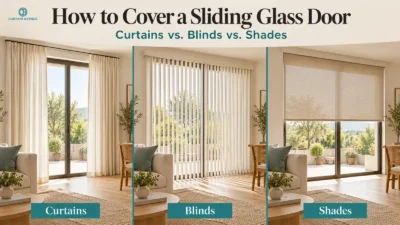
Factor Curtains Blinds Shades Light control Good in full draw; layering with sheers gives fine control Best — tilt slats
Our design experts are here to help you find the perfect fit for your home.